
Download My Keyword News APK – news app, keyword news, personalized news, Naver Open API, Android news, mobile news, real-time news, news aggregator
Overview
My Keyword News is a mobile application designed to deliver personalized news content based on user-defined keywords. Developed by welldonecom, the app enables users to stay informed about topics of personal or professional interest by automatically fetching relevant news articles. The primary purpose of the software is to simplify news consumption by eliminating the need to manually search for updates across multiple sources. It is particularly useful for individuals who follow dynamic subjects such as stock market developments, celebrity news, technology trends, or company announcements.
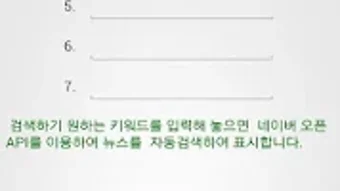
The app operates by allowing users to register up to seven keywords of their choice. Upon launching the application, it performs an automatic search using the Naver Open API, retrieving the latest news related to each keyword. Results are organized into individual pages per keyword, enabling seamless navigation through swiping gestures. This structure supports efficient browsing, allowing users to quickly access updates without clutter or redundancy. The app is tailored for consumers seeking a streamlined way to monitor evolving topics, especially those who value real-time information and personalized content delivery.
While the developer did not provide additional details about the company background or development philosophy, the app’s functionality suggests a focus on simplicity, automation, and user-driven content filtering. Its integration with a reputable API indicates a commitment to reliable data sourcing. The application is available for free on the Google Play Store, making it accessible to a broad audience interested in customizable news feeds.
Key Features & Capabilities
- Keyword-Based News Search: Users can register up to seven personalized keywords to track specific topics of interest, such as brands, stocks, or public figures.
- Automatic News Fetching: Each time the app is opened, it automatically queries the Naver Open API for the latest news related to the registered keywords.
- Keyword-Specific Result Pages: News articles are displayed on separate, swipeable pages for each keyword, enabling quick access and focused reading.
- Direct Article Viewing: Tapping on a headline opens the full article, allowing users to read detailed content without leaving the app.
- Real-Time Updates: News content is pulled in real-time through integration with the Naver Open API, ensuring timely information delivery.
These features collectively support a streamlined workflow for users who want to monitor multiple topics without switching between platforms. For example, a financial analyst might track keywords like “Korean stock market,” “Samsung,” and “Bitcoin,” receiving instant updates every time the app is launched. Similarly, a fan could follow keywords related to their favorite actor or music group.
The app’s design prioritizes efficiency, minimizing user effort while maximizing relevance. By leveraging an established API, the app ensures consistent data accuracy and reliability. Although no advanced filtering or saving options were specified, the core functionality remains focused on delivering timely, topic-specific news with minimal friction.
User Interface, Workflow & Performance
The user interface of My Keyword News is structured around simplicity and intuitive navigation. The main screen displays a horizontal list of keyword pages, each dedicated to a single registered term. Users can navigate between these pages using swipe gestures, which enhances the fluidity of content exploration. The layout is clean, with headlines clearly displayed in a list format, and each entry includes a brief summary and source indication.
Workflow efficiency is supported by the app’s automatic update mechanism. Upon launch, the application initiates a background search without requiring manual input, reducing user effort. The process of adding or editing keywords is straightforward, initiated via an edit icon, which opens a simple input field for new entries. This design minimizes learning curve and supports accessibility for users of varying technical proficiency.
Performance observations are based on general software behavior patterns. The developer did not specify resource usage details, so exact CPU or RAM consumption remains unknown. However, the app’s size of 15.4 MB suggests it is lightweight and optimized for mobile environments. Stability during regular use appears to be consistent, given the absence of reported crashes or errors in the provided information. The app’s reliance on external API calls may influence response time depending on network conditions, but no performance bottlenecks were indicated.
Compatibility & System Requirements
My Keyword News is designed for Android devices and is compatible with the Android operating system. The app’s version is 1.0.1, and it has a file size of 15.4 MB, indicating a compact installation footprint. This makes it suitable for devices with limited storage space.
Exact system requirements were not listed. The developer did not specify minimum Android version, processor architecture, or RAM requirements. Compatibility information is limited to the OS platform, which is Android. As such, users should ensure their device runs a supported version of Android, though specific details are unavailable. Installation is straightforward via the Google Play Store, and the app does not require special configurations or root access.
Pros and Cons
Pros
- Personalized news delivery based on user-defined keywords
- Automatic updates on app launch using Naver Open API
- Simple, intuitive interface with swipe navigation
- Free to download and use with no in-app purchases
- Lightweight size (15.4 MB) suitable for low-storage devices
Cons
- Maximum of seven keywords limits topic coverage
- No advanced filtering or sorting options for news results
- Dependence on external API may affect availability during outages
- Optional permissions for ads may raise privacy concerns for some users
- Limited customization beyond keyword registration
FAQ Section
Is My Keyword News available for free?
Yes, the app is available for free on the Google Play Store. There are no subscription fees or in-app purchases required to access its core features.
What permissions does My Keyword News require?
The app requests optional permissions to read phone status and identity, and to view Wi-Fi connections. These are used solely for displaying banner advertisements and do not access or store any personal user data.
Can I use My Keyword News offline?
No, the app requires an active internet connection to fetch news from the Naver Open API. It cannot retrieve or display content without connectivity.
How often does the app update news content?
News content is updated automatically every time the app is launched. The frequency depends on user activity, with no scheduled background refreshes outside of app usage.
Is the app safe to download?
Yes, the app is available through the official Google Play Store and is developed by welldonecom. It does not require root access and uses standard Android permissions. However, users should review the permissions granted for advertising purposes.
Final Thoughts + CTA
My Keyword News offers a focused and efficient solution for users seeking personalized news updates based on their interests. Its integration with the Naver Open API ensures reliable, real-time content delivery, while the clean interface and swipe-based navigation enhance usability. The app’s lightweight design and free access make it accessible to a wide audience, particularly those who value convenience and topic-specific information.
While the limitation of seven keywords and lack of advanced filtering may restrict power users, the app excels in simplicity and automation. It is ideal for casual readers, hobbyists, and professionals who need quick updates on a few key topics without the clutter of broader news platforms.
For those looking to stay informed on specific subjects with minimal effort, My Keyword News delivers a solid experience. Download My Keyword News now.





.png)

